

Best Travel Photography Apps for Stunning Edits
If you’re an avid traveler, you know how essential it is to capture the best moments of your journey through photos. Whether it’s a beautiful landscape or a fun candid moment with your travel buddies, you want your pictures to truly reflect the essence of your travel experience. That’s where the best travel photography apps come in, allowing you to edit and enhance your photos to make them truly unforgettable.
So what are the best travel photography apps for editing and enhancing photos? We’ve compiled a list of the top apps that will help take your travel photos to the next level. From photography apps like Adobe Lightroom Mobile to photo editing apps like VSCO and Snapseed, these mobile photography apps offer powerful features to make your photos stand out.
Read on to discover the best travel photography apps and how they can help you create stunning visual memories of your travels.
Importance of Photo Editing in Travel Photography
Travel photography is an excellent way to capture and preserve your memories of new destinations and experiences. However, even the most beautiful locations do not guarantee perfect photographs. That’s where photo editing apps come in to help.
Photo editing apps allow you to enhance and improve your travel photos by adjusting the brightness, contrast, color saturation, sharpness, and other aspects. By enhancing your photos, you can capture the beauty and essence of your destination, and create stunning visual stories. Additionally, photo editing apps offer a range of filters, effects, and creative tools that enable you to add your unique style and flair to the images.
Editing and enhancing photos is not just about improving the technical aspect, as it is also about your personal artistic vision. Editing can convey emotions, memories, stories, and moods that cannot be captured with just a camera. The ability to edit makes your photos stand out and gives them a personal touch, turning them into something more than just a snapshot.
With the advent of mobile photography apps, everyone can now take professional-looking photos and edit them on-the-go. The convenience of editing photos on your mobile device has paved the way for a new generation of photo enthusiasts who attend to their passion from anywhere, anytime. Whether you are new to editing or a professional, photo editing apps can help you take your travel photos to the next level.
Adobe Lightroom Mobile
Adobe Lightroom Mobile is a powerful app that enables you to edit and enhance your travel photos on the go. Its user-friendly interface allows for easy navigation and access to a range of features that can transform your raw images into stunning works of art.
With Adobe Lightroom Mobile, you can adjust exposure, color temperature, and other settings to get the perfect look for your photos. You can also apply a range of presets and filters, which can add a unique touch to your images and make them stand out from others.
In addition, Adobe Lightroom Mobile allows for seamless syncing with the desktop version of the app, making it easy to transfer your edits and continue working on your photos across devices. This feature is especially useful for professional photographers who often need to make edits on the go and later fine-tune them on a larger screen.

Whether you are a professional or amateur photographer, Adobe Lightroom Mobile is an essential app for enhancing your travel photos and bringing out their true beauty.
VSCO
If you’re looking for a mobile photography app that can give your travel photos a unique and artistic touch, look no further than VSCO. This popular app offers a stunning array of filters and editing tools that can help you create beautiful visuals that stand out from the crowd.
VSCO provides a range of preset filters that can be applied to your photos with a single tap, letting you experiment with different looks and styles. From classic film-inspired filters to modern, bold options, there’s something for every taste and preference.
But VSCO is more than just a filter app. It also offers advanced editing tools that allow you to adjust exposure, contrast, saturation, and more, giving you complete control over your photos. You can also fine-tune your edits with precision tools like HSL (hue, saturation, lightness) sliders and split-tone controls.
One of the standout features of VSCO is its community of users, who share their own photos and edits on the platform. This provides a source of inspiration and creativity for anyone looking to push their own editing skills to the next level.
VSCO Pros
- Wide range of preset filters
- Advanced editing tools
- Community of users for inspiration
VSCO Cons
- Some features require subscription
- Steep learning curve for advanced editing tools
If you’re looking for a mobile photography app that can help you create stunning visuals and push your editing skills to the next level, VSCO is definitely worth checking out.
Snapseed
If you’re looking for a user-friendly photo editing app, Snapseed is a great choice. With a wide range of features and tools, including selective adjustments and professional-grade filters, this app makes enhancing and editing your travel photos a breeze. With Snapseed, you can crop, rotate, and adjust the color and exposure of your photos with ease, giving them a polished and professional look. Plus, the app offers a variety of unique filters and effects, allowing you to unleash your creativity and add a personal touch to your travel photos.
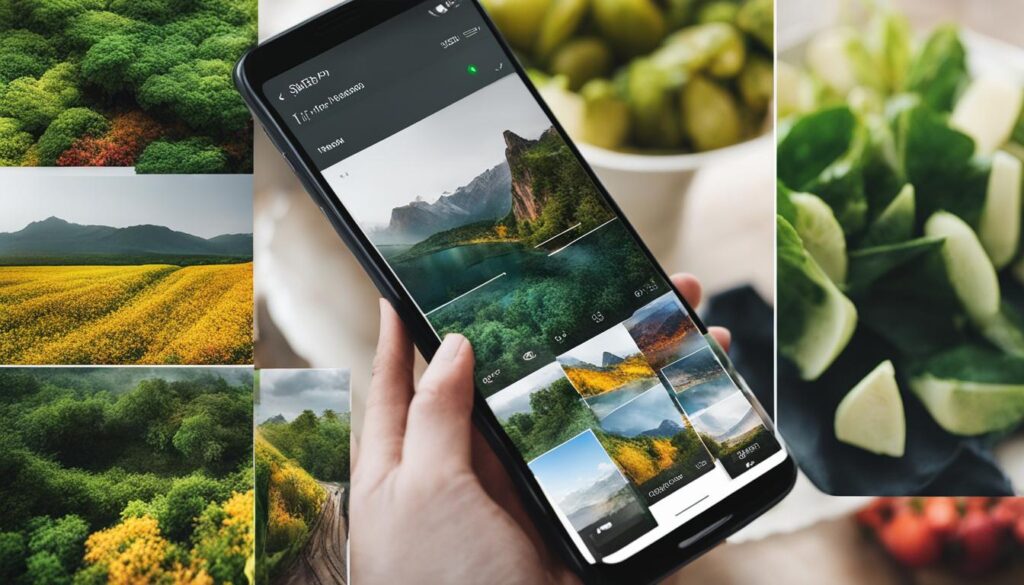
Advanced Editing Features
One of the standout features of Snapseed is its advanced editing tools. The app offers a variety of tools for fine-tuning your photos, including brush and selective adjustments. With brush adjustments, you can selectively edit specific parts of your photos, allowing you to enhance or correct any imperfections. Selective adjustments allow you to adjust specific areas of your photo, such as brightness or saturation, giving you even more control over the final product.
Professional-Grade Filters
Snapseed also offers a variety of professional-grade filters, allowing you to quickly transform your travel photos with just a few taps. Whether you want to add a warm glow to a sunset photo or enhance the colors of a vibrant cityscape, Snapseed has a filter for every occasion. You can also adjust the strength of each filter, allowing you to achieve the perfect look for each photo.
User-Friendly Interface
Perhaps one of the greatest strengths of Snapseed is its user-friendly interface. The app is easy to navigate, and the editing tools and filters are intuitively designed, making it easy for even novice photographers to create stunning travel photos. Plus, the app allows you to save and export your photos in a variety of resolutions, making it easy to share your travel memories with friends and family.
Adobe Photoshop Express
If you are looking for an app that offers advanced editing features and options for your travel photos, then Adobe Photoshop Express is the perfect choice for you. This app offers a variety of tools, filters, and effects that can help you turn your travel memories into stunning visual masterpieces.
With Adobe Photoshop Express, you can crop, rotate, and adjust the exposure, brightness, and contrast of your photos with precision and ease. You can also remove unwanted objects and blemishes from your photos using the Healing Brush tool, making them even more visually appealing.

Moreover, Adobe Photoshop Express provides a wide range of creative features, such as adding text, frames, and borders to your photos. With this app, you can also apply artistic filters and effects to your travel photos, making them stand out from the rest.
Key features:
- Advanced editing tools for precise adjustments
- Removal of unwanted objects and blemishes using the Healing Brush tool
- Wide range of creative filters and effects
- Adding text, frames, and borders to your photos
Overall, Adobe Photoshop Express is a powerful app for enhancing your travel photos and adding a professional touch to them. It is available for free on both iOS and Android devices, making it accessible to everyone.
Afterlight 2
If you are looking for an editing app that will help give your travel photos a unique and captivating appeal, consider trying Afterlight 2. This app offers a variety of features and tools for editing and enhancing photos, allowing you to transform your travel memories into stunning visual creations.
One of the standout features of Afterlight 2 is its extensive collection of filters, which includes over 130 options to choose from. These filters range from subtle enhancements to bold and dramatic effects that can completely transform the mood of your photos. Additionally, this app offers advanced editing tools, such as curves and selective color, that allow for precise adjustments and personalized touches.
| Pros | Cons |
|---|---|
| Large selection of filters | Requires one-time payment of $2.99 |
| Advanced editing tools for precision adjustments | May not be suitable for beginners |
| User-friendly interface |
While Afterlight 2 requires a one-time payment of $2.99, many users find that the extensive features and tools are well worth the cost. Additionally, its user-friendly interface makes it accessible for all levels of editing experience.
Overall, Afterlight 2 is a great option for anyone looking to enhance and edit their travel photos with unique filters and advanced editing tools. It offers a wide range of features that allow for personalized touches and creative expression, making it a favorite among mobile photography app enthusiasts.
Enlight Photofox
If you’re looking for an app to take your photo editing skills to the next level, look no further than Enlight Photofox. This powerful app offers a wide range of editing techniques and effects that can help you transform your travel photos into stunning works of art.
With Enlight Photofox, you can enhance your photos with a variety of tools, including filters, brushes, and special effects. From adjusting the lighting and color to adding textures and overlays, the possibilities are endless.
One unique feature of Enlight Photofox is its ability to support multiple layers, allowing you to create more complex edits and designs. You can also use the app to create photo collages, combining multiple images into one stunning visual.
Overall, if you’re serious about taking your mobile photography to the next level, Enlight Photofox is a must-have app. Its powerful editing tools and creative possibilities make it a favorite among professional photographers and enthusiasts alike.
Conclusion
In conclusion, these are some of the best travel photography apps available for editing and enhancing your photos on the go. Each of these apps offers unique features and capabilities that can help you create stunning visual memories of your travel adventures.
Whether you want to add filters and effects, adjust brightness and contrast, or employ advanced editing techniques, these apps provide powerful tools that can help you take your travel photography to new heights.
So next time you’re out exploring the world, be sure to use these amazing apps to capture and enhance your travel photos. With a little creativity and the right tools, you can turn your travel memories into stunning works of art that you’ll cherish for years to come.


